PolicyStat New Feature Releases

:mega: Local Site EPS Template Rejection :mega:

We are introducing the ability for locations to dismiss or reject shared templates at the local level within EPS. This enhancement streamlines template management, reduces review clutter, and improves overall usability for local teams and administrators.

Key Capabilities

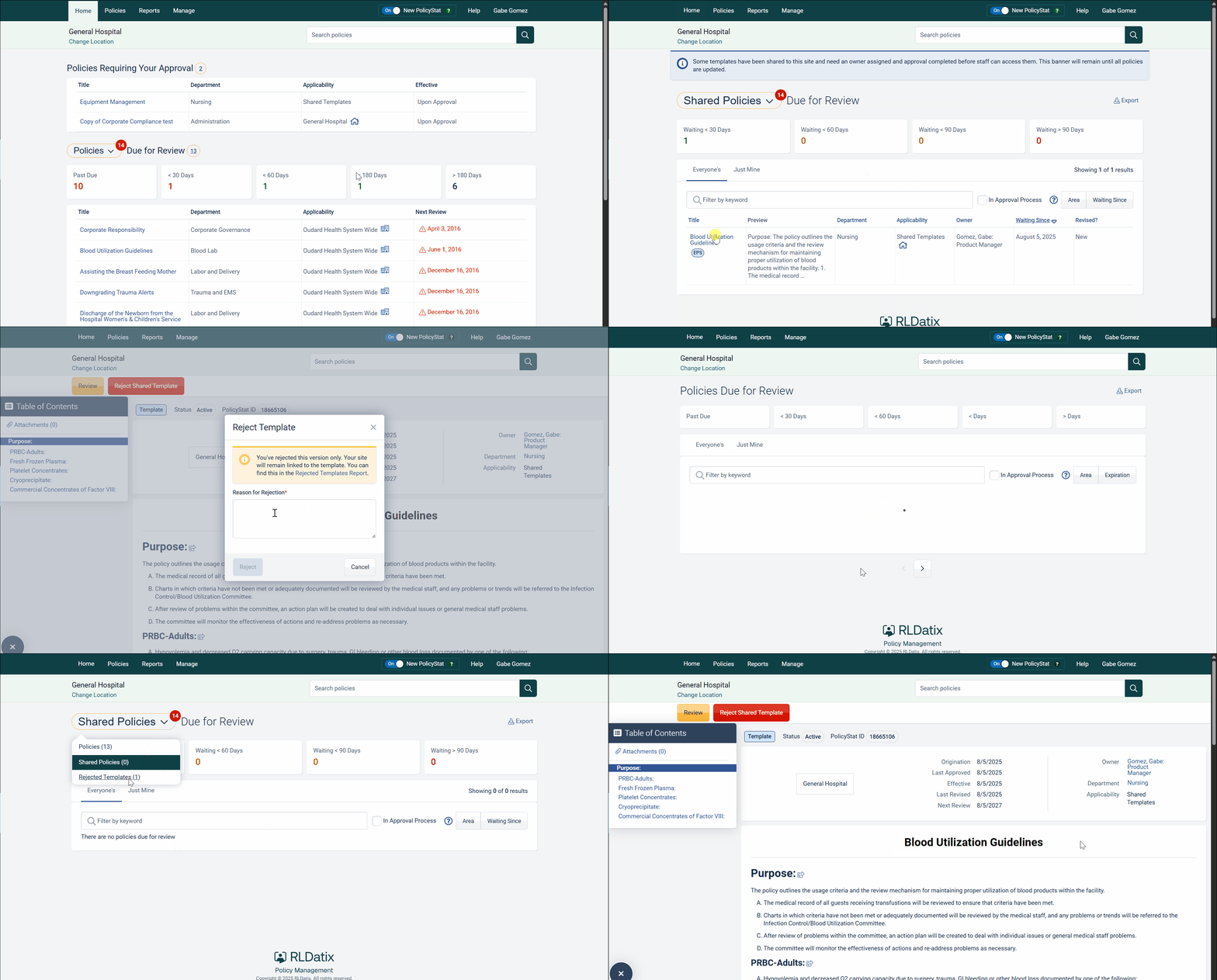
  • Local Template Dismissal or Rejection: Locations can now reject a shared template if it does not apply, providing a reason for the rejection. This feedback is visible at the system level.
  • Enhanced Reporting: A new report is available to managers, showing all templates for each site with their adoption status (adopted or rejected) and any associated comments.
  • Version-Specific Rejection: When a template is rejected, only that specific version is affected. Future versions can still be considered for adoption.
  • Automated Notifications: Email notifications are sent to the template owner and all users with manager permissions for the affected area whenever a template is rejected.
  • Template History Updates: The template history now records rejections, including who rejected the template, the reason provided, and which site performed the action. If there is an older local version, this history is also shown there.

Value and Impact

  • Streamlined Workflow: Reduces clutter in review reports, making it easier for managers and teams to focus on templates that require action.
  • Greater Flexibility: Allows locations to tailor EPS templates to their specific needs, supporting local decision-making.
  • Improved Transparency: Tracks and communicates template rejection decisions, helping both local and system-level stakeholders understand site-specific choices.
1 Like

:mega: EPS Template Identification :mega:

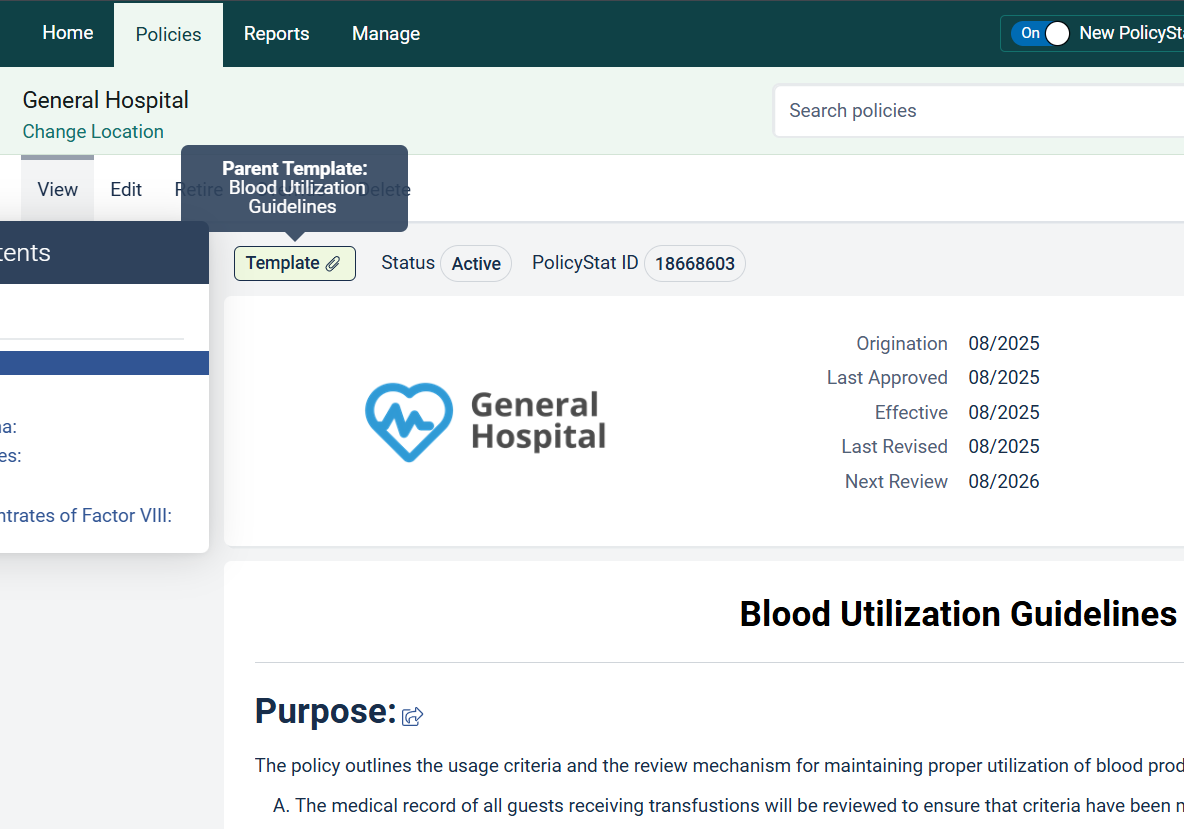
It’s now easier to tell which documents are linked to EPS Templates. These updates are designed to make navigation clearer, reduce confusion, and streamline onboarding for both administrators and end users.

What’s New

  • Template Badges: Enterprise templates now display a prominent badge throughout the user interface, making them instantly recognizable.
  • Adopted Policy Indicators: Local policies based on a template are clearly marked, so you can always see when a policy is derived from an enterprise standard.
  • Tooltip Enhancements: Hovering over template badges now reveals helpful tooltips, including the names of adopted blocks for additional context.
  • Improved Badge Design: Updated badge colors and styles provide a clearer, more consistent look across reports and search pages.
  • Expanded Coverage: Template badges now appear on the Pending Report, Scheduled Report, New & Recently Revised Documents Report, Home Page Reports, and the Search page.

These improvements make it easier than ever to identify and work with EPS, ensuring a smoother, more transparent onboarding experience for everyone.

1 Like

Thanks so much for implementing enhancements on the new EPS feature! :tada:

:mega: New Editor + PolicyGen AI Assistant Now Live :mega:

Updated Editor
The updated version the editor is now live and delivers a refreshed UI, better performance, and new tools to make policy editing smoother and more intuitive. This update also lays the foundation for future enhancements.
For further details please review the article [here].

:sparkles:PolicyGen AI Assistant:sparkles:
PolicyGen AI streamlines the entire policy lifecycle – helping you and your team quickly draft, revise, and standardize policies in minutes. Simply click the “PolicyGen” icon in your toolbar and enter key details for the policy you would like drafted (e.g., topic, document type, facility requirements, regulatory).

Benefits:

  • Built specifically for healthcare – AI tuned to accreditation standards, regulatory language, and clinical terminology.
  • Fully integrated in your workflow – Draft and refine policies without leaving the Editor or relying on external AI tools.
  • Guided, pre-built prompts – Create high-quality policy drafts in minutes, not hours.

How to activate:
PolicyGen AI must be enabled by your PolicyStat System Administrator in the new AI Assistant Configuration settings section of the Admin Console.

Hi Gabe. Is there a webinar recording or list of features/tutorial for PolicyGen AI? Thanks!

Hi @sarah.winkel, there was a webinar on PolicyGen AI. For your convenience, here’s the link to the recorded webinar: https://view-su3.highspot.com/viewer/794dbf6075c257c4d148e591d447f683

FYI, there is also a thread headed up by Cheryl Kirchner where folks that wanted to share their own policies related to AI were being shared with HUB users.

Thank you very much!

Not seeing this at all. Is there something I need to turn on in the Admin Console?

:mega: Overrides Report Now Live :mega:

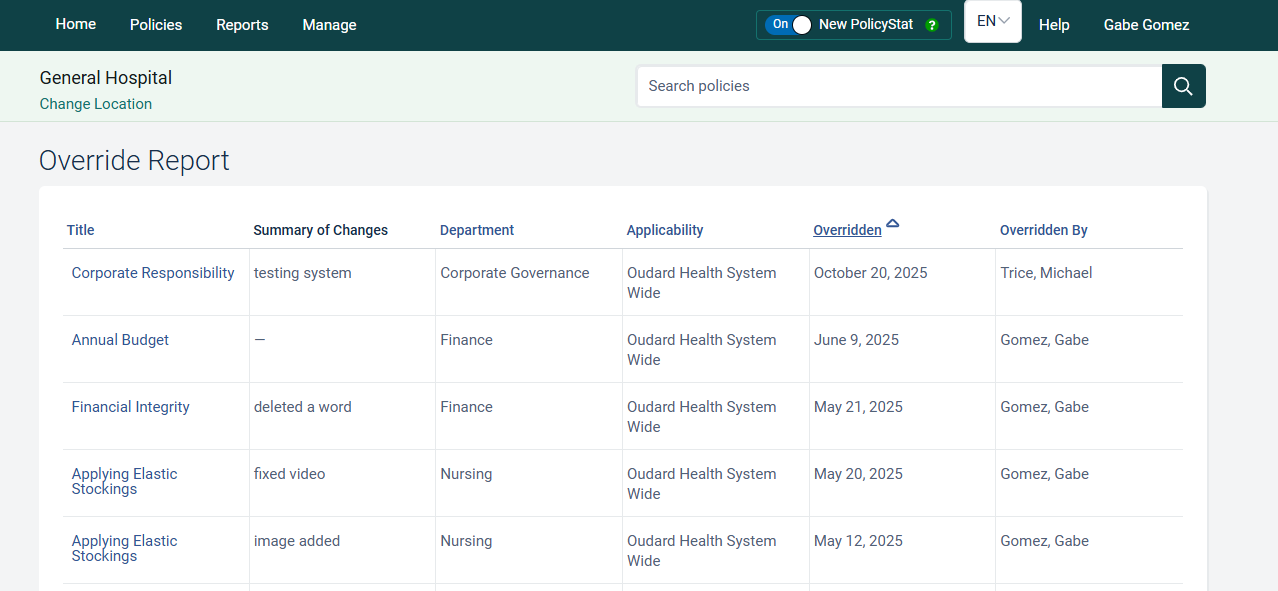
Policy administrators lack visibility into who is performing overrides on documents. This results in limited accountability, inefficient workload management, and challenges during audits. To improve visibility into Override activity, we’ve added an Overrides Report, now available under the Reports section of the Admin Console.
All of the columns are sortable, minus the ‘Summary of Changes’, and an ‘Export to CSV’ option will be available later this week or next (based on passing tests/code reviews).

2 Likes

:mega: PolicyGen AI Assistant Enhancements Released :mega:

A few updates to PolicyGen were released this afternoon. These updates iterate on PolicyGen that released last month to make it more intuitive for policy owners to create and update policies.

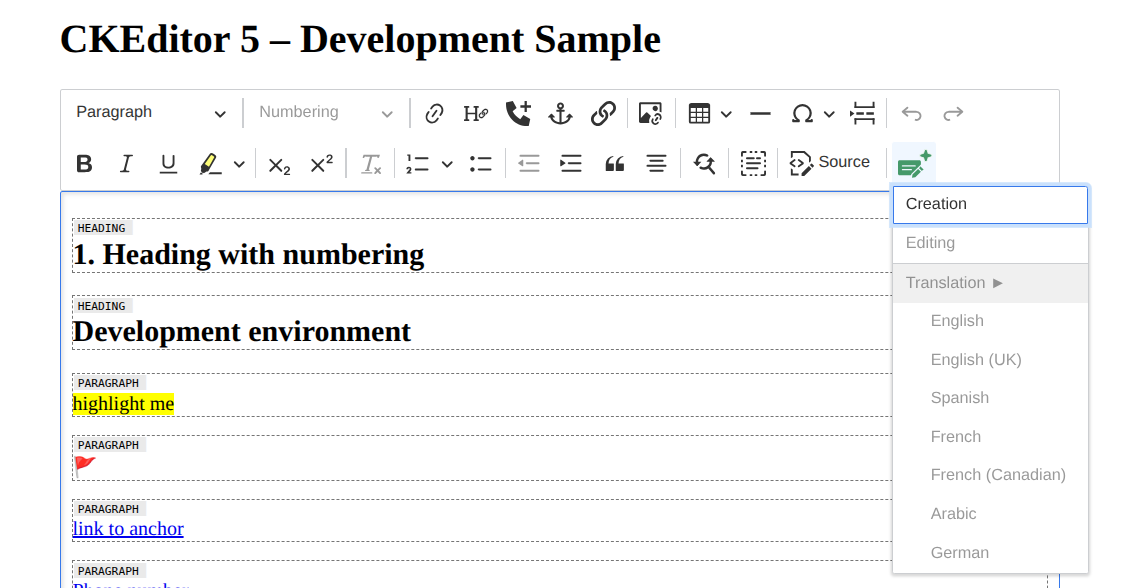
One GenAI Button (Instead of Two)

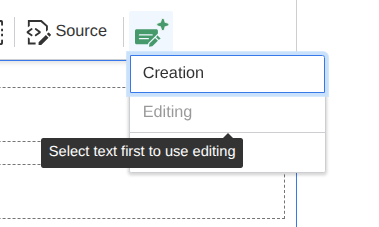
When the PolicyGen button is clicked the first time you will get the Disclaimer. If no text is selected, then Editing/Translation will not be selectable.

A tooltip will tell policy owners to select text. Up to 8,000 characters can be selected (roughly 3 pages).
image

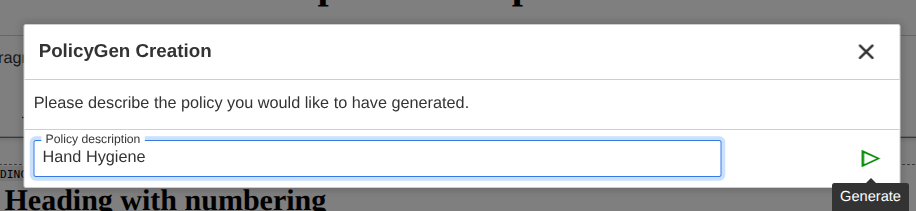
Updated Creation Screens Flow
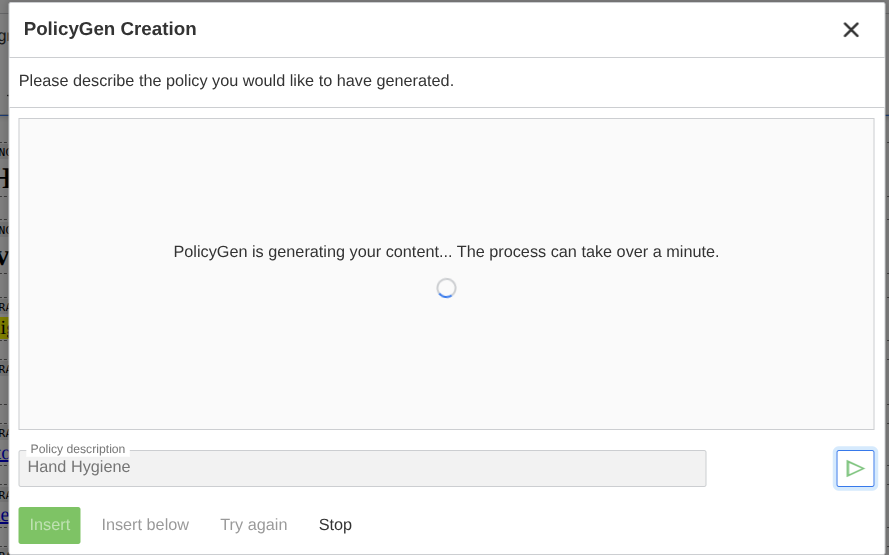
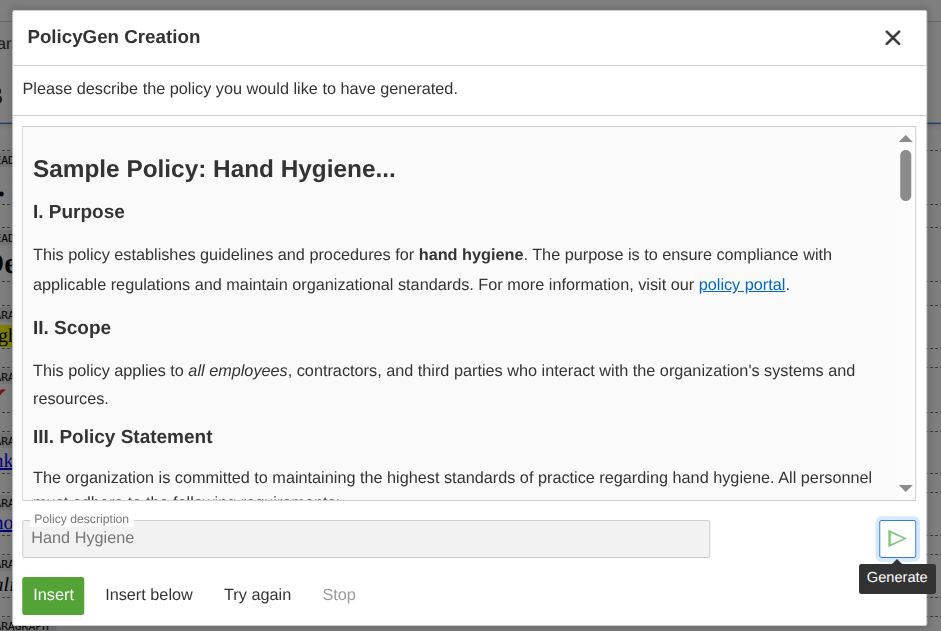
These are mostly UI polish when creating a new policy using PolicyGen:


Feedback capture for generated policies

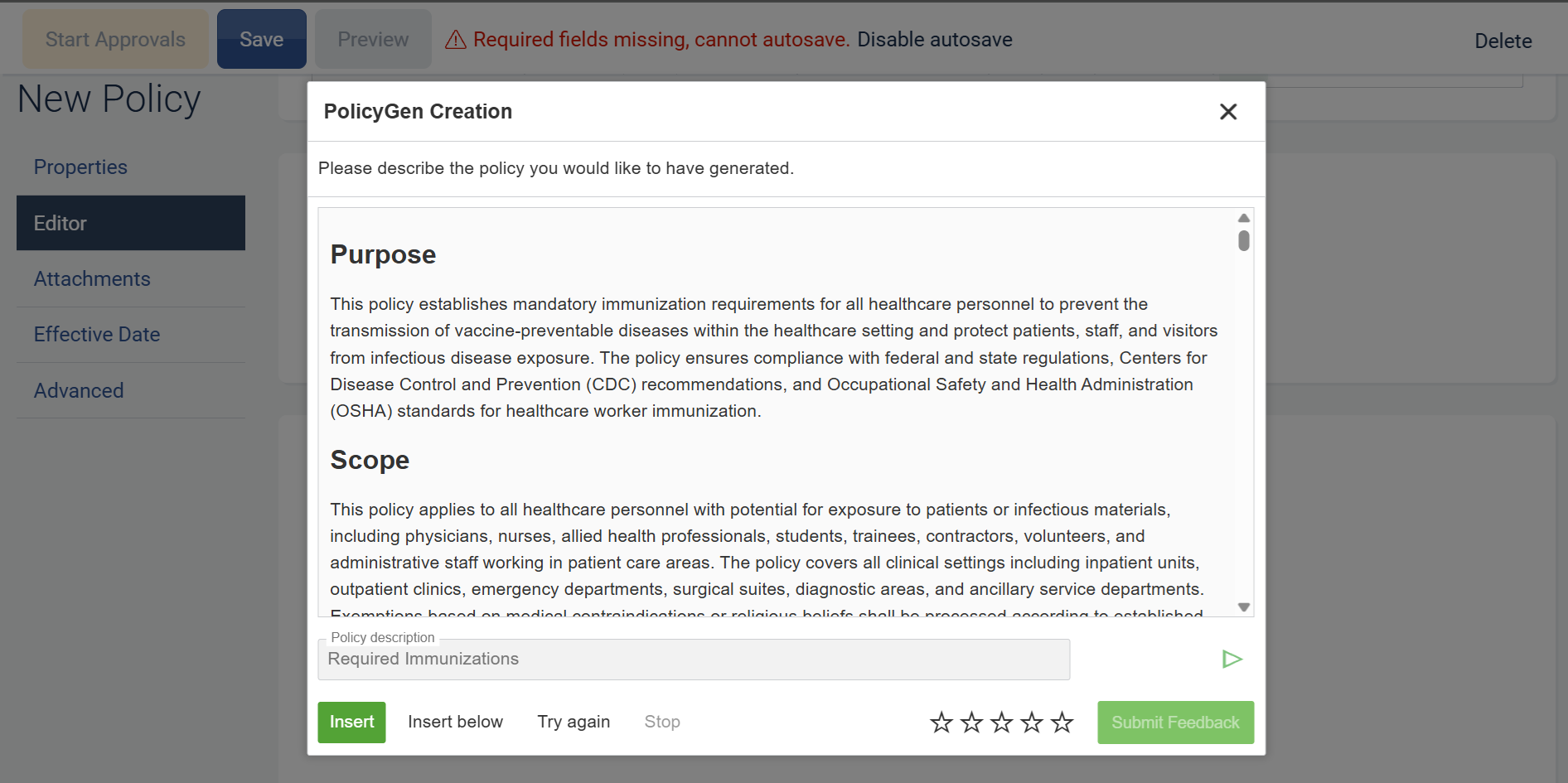
We have introduced a new feedback feature that lets you rate system-generated policies using a simple 1–5 star scale. This will help RLDatix continuously improve the quality and relevance of policies created in PolicyStat.

What’s new

  • 1-5 star ratings on generated policies - After reviewing a generated policy, you can now select a star rating from 1 (not helpful) to 5 (very helpful).
  • Inline experience - The rating control appears directly alongside the generated policy, so you can leave feedback without leaving your workflow.

How it works

  1. Generate a policy using PolicyGen as usual.
  2. Use the 1-5 star control to rate how well the generated policy met your needs.
  3. Review the generated content and make any necessary edits.

Why it matters

  • Better future policy generations - Your ratings and comments are used to refine the policies created, so future generated policies improve in quality.
  • Faster continuous improvement - Feedback is captured at the point of use, reducing back-and-forth and helping us quickly identify patterns and common needs.

Getting started

No configuration is required. The feedback rating appears automatically when you generate a new policy. Simply start using the 1-5 star control to share your feedback and help RLDatix improve future policy generations.